Running a small business involves more than selling products or delivering services. You also need to track income, control expenses, manage inventory, create invoices, collect payments, and understand your financial performance.
For businesses already using WordPress, managing these activities through disconnected spreadsheets and external applications can become unnecessarily complicated. A WordPress-based ERP solution offers another approach: bringing essential business operations into a familiar environment.
In this guide, we explore how Comfort ERP helps freelancers, agencies, and small businesses manage accounting, inventory, invoicing, and payment workflows directly from WordPress.
1. Why Small Businesses Need Better Financial and Inventory Management
Many businesses begin with simple tools. A spreadsheet records expenses, another tracks customer payments, and a separate application generates invoices. Product details might live in yet another system.
Although these tools can work independently, managing them together becomes increasingly difficult as a business grows.
Common Business Management Challenges
- Scattered financial records: Income and expenses are stored across different spreadsheets and applications.
- Time-consuming invoicing: Creating invoices manually requires repetitive data entry.
- Limited inventory visibility: Businesses struggle to maintain consistent records of products and services.
- Disconnected payment records: Tracking customer payments and refunds becomes more complicated.
- Incomplete financial reporting: Business owners lack an organized view of income, expenses, and financial activity.
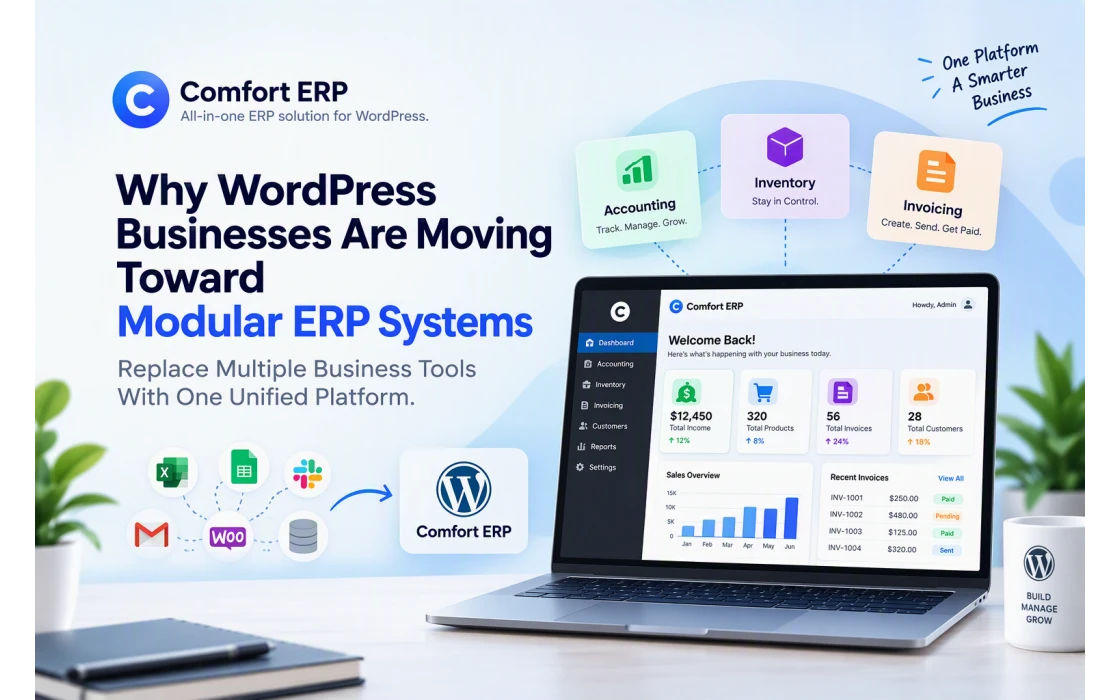
A modular ERP system can help address these challenges by organizing related business processes in one environment without requiring every business to adopt unnecessary features.
2. What Is a WordPress ERP System?
ERP stands for Enterprise Resource Planning. An ERP system helps organizations organize and manage essential operational information, including financial records, inventory, customer transactions, and other business processes.
Traditional ERP platforms can be expensive or complicated for smaller organizations. WordPress-based ERP plugins offer an alternative for businesses that prefer self-hosted software and already operate their websites using WordPress.
Benefits of Managing Business Operations in WordPress
- Use an existing WordPress installation.
- Keep business data within your self-hosted environment.
- Manage operations through familiar dashboards.
- Extend functionality through plugins and addons.
- Reduce repetitive work between disconnected tools.
- Build workflows suited to your business requirements.
This is the philosophy behind Comfort ERP: provide modular business management tools built specifically for the WordPress ecosystem.
3. Introducing Comfort ERP: A Modular ERP Solution for WordPress
Comfort ERP is a collection of WordPress plugins designed to simplify everyday business management. Rather than forcing businesses into a large, complicated application, it focuses on practical modules that address specific operational requirements.
Its current product lineup includes two major solutions:
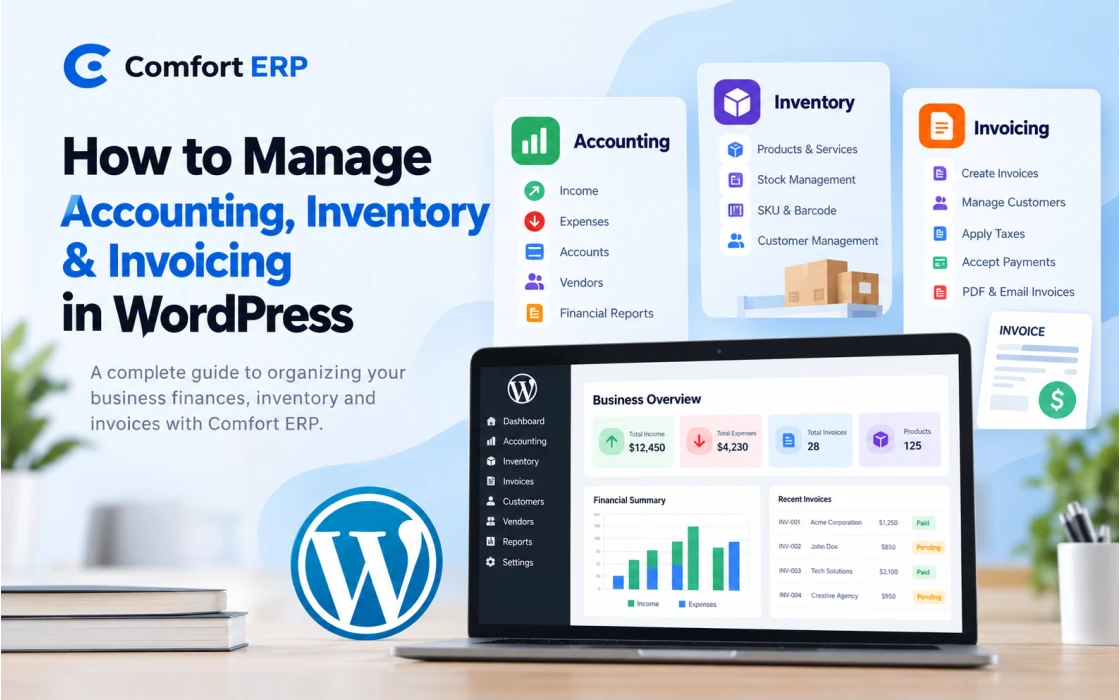
- Comfort Accounting — for managing income, expenses, financial accounts, vendors, clients, and accounting reports.
- Comfort Inventory & Invoice — for managing inventory items, customers, invoices, taxes, and payment workflows.
Both products provide free core functionality, with additional capabilities available through premium addons or Pro features.
Businesses can start with the module they need and expand their setup as their requirements change.
4. Manage Business Finances with Comfort Accounting
Accurate financial records are essential for making informed business decisions. Whether you operate a freelance business, digital agency, consulting company, or small organization, understanding where money comes from and where it goes is critical.
Comfort Accounting provides a WordPress-native accounting environment for organizing income, expenses, accounts, vendors, and clients.
Track Income and Expenses
Instead of maintaining separate spreadsheets, record income and expenses through the accounting dashboard. Categorized financial records make it easier to review transactions and understand everyday business activity.
Manage Multiple Financial Accounts
Businesses often use several accounts for financial transactions, such as cash and bank accounts. Comfort Accounting provides an accounts manager to organize transactions by their associated account.
Organize Vendors and Clients
Keep vendor and client information organized and associate relevant parties with income and expense records. This creates a clearer transaction history and improves financial recordkeeping.
Agency-Based Accounting
One of Comfort Accounting's distinguishing features is its agency-based structure.
It allows users to organize accounting information for multiple agencies or businesses within a single WordPress installation. This can be useful for consultants, business owners, and agencies managing multiple operational entities.
Financial Reports and Frontend Management
Optional addons extend the accounting experience with frontend dashboards, permission-based team access, report creation, and report export features.
The Reports Addon supports creating and saving reports, while the Frontend Addon helps authorized users manage accounting operations through frontend interfaces.
For additional information about available features, explore the Comfort Accounting product page.
5. Simplify Inventory and Billing with Comfort Inventory & Invoice
Managing inventory and issuing invoices are closely related activities. Businesses need reliable item records, accurate customer information, and an organized way to manage billing.
Comfort Inventory & Invoice combines inventory item management and invoicing inside WordPress.
Manage Products and Services
Businesses can maintain records of goods and services through an inventory manager. These items can then be selected while creating invoices, reducing repetitive entry.
The inventory item system supports useful identifiers such as SKU and barcode fields.
Create and Manage Professional Invoices
The invoice manager allows businesses to create, edit, filter, and manage invoices through a dedicated WordPress dashboard.
This is especially useful for freelancers and service providers who regularly bill clients for projects, consultations, maintenance, or other services.
Centralize Customer Information
Customer management is another important part of the invoicing workflow.
Comfort Inventory & Invoice allows businesses to maintain customer records for individuals and companies and use those records when generating invoices.
Apply Predefined Taxes
Businesses can configure tax entries through the Tax Manager and select them during invoice creation.
Applicable tax rates and reporting requirements should always be verified against local regulations.
Accept Payments and Manage Payment History
Premium payment features support offline payment methods, including bank and cash, alongside Stripe online payment integration.
The payment history manager helps businesses review and manage recorded payments.
PDF Invoices and Email Notifications
Pro features also include PDF invoice generation, sending invoices through email, and payment-related email notifications.
These features can help reduce manual billing work and create a more consistent customer experience.
Learn more about Comfort Inventory & Invoice for WordPress.
6. How Accounting and Invoicing Can Work Together
Invoicing and accounting serve different but closely related purposes.
Invoicing records what customers are billed, while accounting helps businesses organize income, expenses, and financial transactions.
Comfort ERP provides a modular approach to these connected processes.
Example: A Digital Agency Workflow
- Organize the business: Set up an agency in Comfort Accounting.
- Record business expenses: Track hosting, software subscriptions, office expenses, and other costs.
- Manage customers: Add customer information in Comfort Inventory & Invoice.
- Create invoices: Generate invoices for website development, consulting, or maintenance services.
- Collect payments: Record or process payments through the available payment features.
- Connect financial records: Use the supported Comfort Accounting Integrations Addon to record applicable invoice payments as income and refunds as expenses.
- Review financial activity: Analyze recorded income and expenses through accounting dashboards and available reporting features.
Important: Synchronization between the invoice and accounting modules requires the supported integration addon and appropriate configuration. The two core plugins should not be assumed to synchronize automatically.
7. Using Comfort Accounting with WooCommerce
WooCommerce businesses often need to connect their sales activity with financial records. Manually transferring completed sales and refunds into an accounting system can become repetitive as order volume grows.
Comfort Accounting offers an Integrations Addon designed to connect supported WooCommerce transactions with accounting records.
What the Integration Supports
- Recording supported WooCommerce sales as income.
- Recording supported refunds as expenses.
- Connecting a WooCommerce store to an accounting agency.
- Reducing duplicate manual transaction entry.
This integration can help WordPress store owners maintain more consistent financial records alongside their ecommerce operations.
Check the Comfort Accounting integrations information for supported configurations and addon requirements.
8. Why Choose a Self-Hosted ERP Solution?
Many business applications operate entirely through third-party cloud platforms. Although cloud services can be convenient, some organizations prefer more direct control over their application environment.
A self-hosted WordPress ERP system provides several potential advantages.
Greater Control Over Your Environment
With a self-hosted solution, businesses can choose their hosting provider, manage server configurations, and establish their own backup and access policies.
Modular Functionality
Businesses can select relevant modules instead of adopting a larger software suite with unnecessary features.
Customization Opportunities
WordPress provides an extensible ecosystem for building custom functionality. Developers can use supported extension mechanisms and integrations to adapt business workflows.
Responsibility for Maintenance
Self-hosting also introduces responsibilities. Businesses must maintain WordPress updates, server security, backups, user permissions, and appropriate data protection measures.
Organizations needing custom WordPress functionality can explore development services from Codeboxr.
9. Built with Modern WordPress Development Practices
Comfort ERP is designed around a modular architecture that combines native WordPress capabilities with modern development tools.
Custom Database Tables
Comfort ERP modules use dedicated database tables for business records rather than relying exclusively on WordPress posts and post metadata.
This architecture is intended to support more structured data management and scalable application development.
Vue.js-Powered Dashboards
Modern Vue.js interfaces provide interactive dashboards for managing business records within WordPress.
WordPress REST API
REST API-based communication supports interactions between application interfaces and backend business operations.
Database Migrations
A Laravel-inspired migration approach helps manage changes to application database structures across plugin versions.
Template Customization
Supported template override mechanisms provide opportunities for developers to customize frontend and email interfaces.
These technical decisions make Comfort ERP relevant not only to business owners but also to WordPress developers building specialized business applications.
10. Who Can Benefit from Comfort ERP?
Freelancers
Freelancers can use Comfort Accounting to record business income and expenses, while Comfort Inventory & Invoice can help organize client billing.
Digital Agencies
Agencies managing several clients or operational entities can benefit from organized financial accounts, agency-based accounting, and service invoicing workflows.
Small Retail Businesses
Businesses selling physical products can organize inventory items, customer records, invoices, and financial transactions.
Consultants and Service Providers
Consultants can maintain service records, issue customer invoices, and track operating expenses.
WooCommerce Store Owners
WooCommerce businesses can use supported accounting integrations to organize sales and refund records alongside other financial activity.
WordPress Developers
Developers can explore Comfort ERP as a foundation for specialized business workflows requiring customization and modular functionality.
11. How to Get Started with Comfort ERP
You do not need to implement every business management feature immediately. A gradual approach can make adoption easier.
- Identify your business needs. Decide whether accounting, inventory, invoicing, or a combination of these is your immediate priority.
- Explore the available products. Visit the Comfort ERP website and review the features of each module.
- Install the relevant free core plugin. Follow the product's installation instructions and verify your WordPress environment meets its requirements.
- Configure your business information. Add accounts, agencies, customers, vendors, inventory items, or other relevant records.
- Test your workflows. Create sample transactions and invoices before using the system for live business operations.
- Consider optional addons. Evaluate reporting, frontend access, integrations, payments, and PDF capabilities as your needs evolve.
- Establish maintenance procedures. Configure regular backups, software updates, and appropriate user access.
You can find additional setup information and product guides in the Comfort ERP documentation.
13. Frequently Asked Questions
Can WordPress be used for accounting?
Yes. WordPress accounting plugins such as Comfort Accounting provide dedicated interfaces for tracking income, expenses, financial accounts, vendors, and clients. Businesses should still ensure their accounting processes meet applicable financial and legal requirements.
Is Comfort ERP free?
Comfort ERP offers free core plugins. Additional features, such as certain integrations, advanced reports, online payments, and PDF invoicing, may require paid addons or Pro licenses.
Can I create invoices directly in WordPress?
Yes. Comfort Inventory & Invoice provides an invoice manager that lets users create and manage invoices from their WordPress dashboard.
Does Comfort ERP support inventory management?
Yes. Comfort Inventory & Invoice includes an inventory manager for maintaining goods and service records that can be selected during invoicing.
Can Comfort Accounting work with WooCommerce?
Yes. The Comfort Accounting Integrations Addon supports recording applicable WooCommerce sales and refunds as accounting transactions.
Can I manage multiple agencies?
Comfort Accounting supports an agency-based structure for organizing financial activity across multiple agencies or business entities. Additional frontend and permission-based capabilities are available through addons.
Do I need programming knowledge to use Comfort ERP?
Routine business management features are designed for use through WordPress dashboards. Custom integrations or specialized workflows may require developer assistance.
Conclusion: Build a More Organized Business with WordPress
Managing a growing business requires accurate information, consistent processes, and tools that support everyday operations.
For organizations already using WordPress, a modular ERP approach can provide a practical way to bring financial records, inventory information, invoicing, and payment management closer together.
Comfort Accounting focuses on financial organization, while Comfort Inventory & Invoice supports inventory and billing workflows. Together, with the appropriate addons, they provide complementary tools for WordPress-based business management.
Whether you are a freelancer, agency owner, service provider, or small business, the right combination of modules can help you spend less time on repetitive administrative work and more time developing your business.
Ready to explore WordPress-based ERP? Visit Comfort ERP to discover the available products and choose the tools that fit your business.
Explore Comfort Accounting | Explore Comfort Inventory & Invoice